


EasyImg
A one-stop image hosting service for individuals.
Services
EasyImg - chaos-zhu
✨ A simple and easy-to-use personal image hosting system built with Nuxt.js ✨
Quick Start
Default Account
After the first launch, use the following default account to log in:
- Username:
easyimg - Password:
easyimg
⚠️ Please change the default username and password immediately after logging in!
Features
🖼️ Image Management
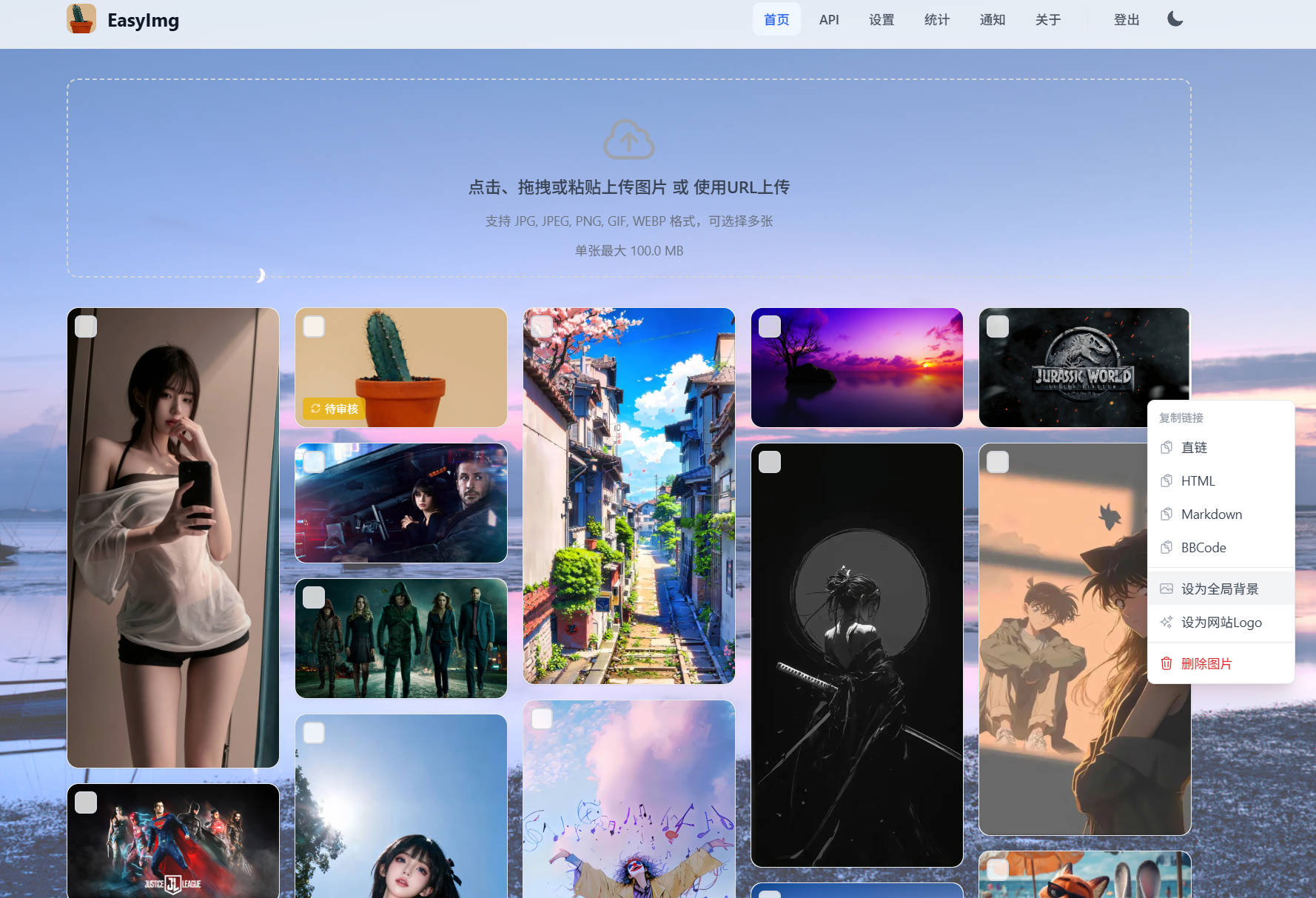
- Multiple Upload Methods: Supports click, drag-and-drop, and paste uploads, and supports batch uploading of multiple images
- URL Upload: Supports downloading images directly from a URL to the local library
- Waterfall Display: Responsive waterfall layout, adapting to different screen sizes
- Image Preview: Supports large image preview, displaying detailed image information
- Batch Operations: Supports batch selection and batch deletion of images
- Recycle Bin: Soft-delete mechanism, supports emptying the recycle bin to free up space
🔐 Permission Control
- Public/Private Upload: Supports two modes: visitor upload and private upload after login
- API Key Management: Supports creating multiple API Keys for easy calling by third-party tools
- IP Blacklist: Supports manual or automatic blacklisting of malicious IPs
🛡️ Content Security
- NSFW Detection: Supports multiple adult content detection services (nsfwdet.com, elysiatools.com, self-hosted nsfw_detector)
- Automatic Processing: Non-compliant images are automatically soft-deleted, with an optional automatic blacklisting of the uploader's IP
- Violation Management: Supports viewing the list of violating images, and manual cancellation of the violation flag
📊 Data Statistics
- Storage Statistics: Real-time statistics on the number of active images and storage space usage
- Classification Statistics: Distinguishes between public and private upload quantities
- Content Security Statistics: Total number of images scanned, number of violating images, and violation rate
🔔 Notification Push
- Multiple Notification Methods: Supports Webhook, Telegram, Email, ServerChan
- Event Notifications: Login notifications, image upload notifications, and NSFW detection result notifications
- Custom Templates: Webhook supports custom request body templates
⚙️ System Settings
- Application Configuration: Customize application name, Logo, and global background image
- Announcement System: Supports two announcement display formats: pop-up and banner
- Upload Configuration: Configurable allowed formats, file size limits, WebP compression, etc.
- Rate Limiting: Supports configuring request frequency limits for the same IP
🎨 Interface Features
- Dark Mode: Supports switching between light/dark themes
- Responsive Design: Perfectly adapts to desktop and mobile devices
- Frosted Glass Effect: Supports frosted glass blur effect for background images
FAQ
Q: How to reset the administrator password?
Delete the db/admin.db file and restart the service; the system will recreate the default account.
Q: How to back up data?
Back up the db and uploads directories, which contain all database files and uploaded images.
Q: Which image formats are supported?
Default support: JPEG, JPG, PNG, GIF, WebP, AVIF, SVG, BMP, ICO, APNG, TIFF
Other Projects by the Author
- EasyNode - Multifunctional Linux & Windows Server Web Terminal Panel
- EasyNavTab - Open-source browser extension, custom new tab page
Communication and Feedback
- Telegram Channel: https://t.me/easynode_notify
- GitHub Issues: Submit an Issue